Banner

How Can We Help?

With a team of experienced staff, we are confident to bring the most professional service to customers.

Phaata.com HOW IT WORKS ?

Booking Management

Step 1: On your admin page, select "Booking / Booking management" - https://user.phaata.com/user/shipperorder:
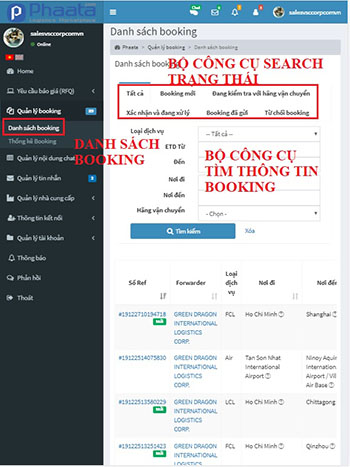
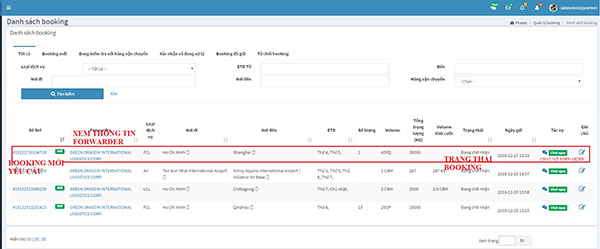
Step 2: Filter/Search tools to find the status of booking on transaction:

  • To view booking detail, click on Booking Ref.
  • You could contact directly Forwarder by send Inbox
  • Filter and sort booking by Search/Filter tools
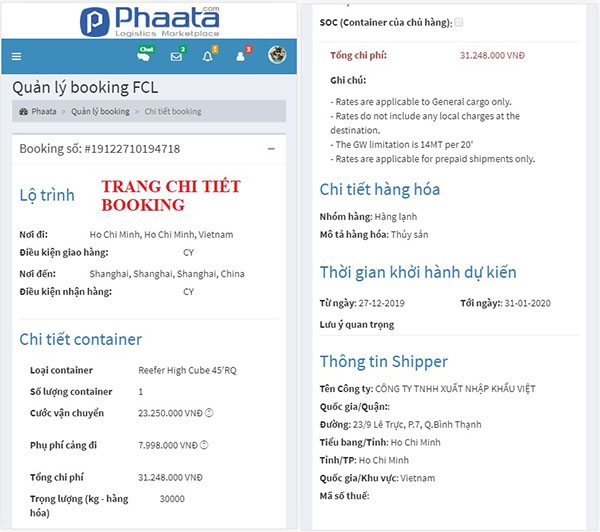
Step 3: On booking detail page, you could re-check rate and information.
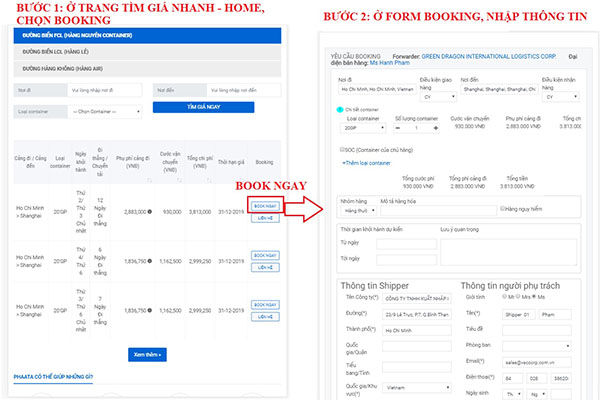
Step1: On Home page, select: “Quick Quotes / Search Rate / Book now” - https://www.phaata.com/

Step 2: On booking request form, input information of shipment, especially the fields (*)

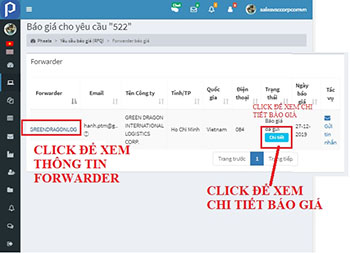
Step 1: On your admin page, select "Quotation request / Manager Quotation Request / View Quote":

  • Click Forwarder name to view eStore of Forwader
  • Click “Send inbox” to send messages to Forwarder
  • Click "Chat now" to chat

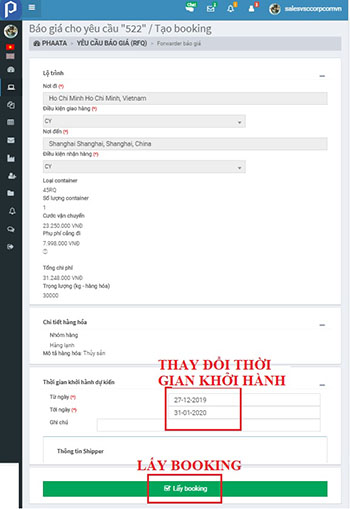
Step 2: Click "Book now" to view quotes detail page

  • "View book": after booking

Freight rates

Help you find instant freight rates with just a few clicks.

See more

Request For Quotes

Help you send and receive quotes from Forwarders on the market quickly and efficiently.

See more

HOT Services

Help you quickly find Hot services being promoted on the market.

See more

Find Forwarders

Helps you easily find and choose the most suitable logistics service provider

See more

Warehouse

Helps you easily find and choose the most suitable logistics service provider

See more