
 SEA
SEA
 AIR
AIR
 RAIL
RAIL
 ROAD
ROAD
 COSCO
COSCO
 SITC
SITC
 PACIFIC LINES

Step 1: On your dashboard, select "Quotation Request / Manager Quotation Request" - https://user.phaata.com/user/requests
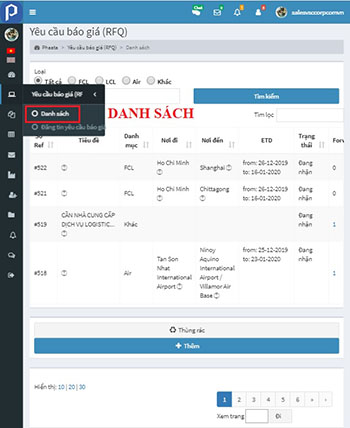
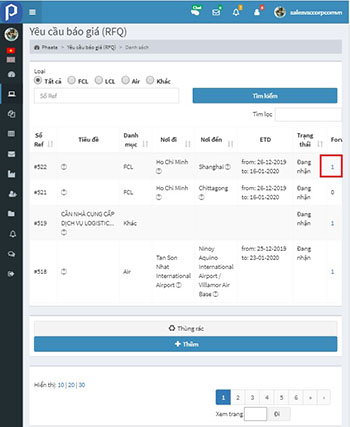
Step 2: On "Forwarder's quotes" columm of per request, click view quotes to view and compare rate
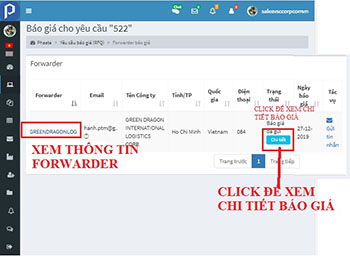
Step 3: On Quotion list, you could:
- Click “Book now” to view detail of quotes
- Click Forwarder name to view eStore of Forwader
- Click “Send inbox” to send messages to Forwarder
- Click "Chat now" to chat
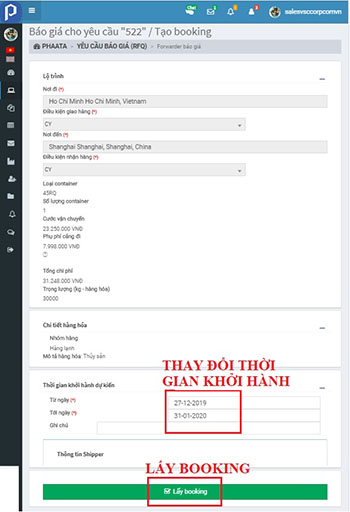
Step 4: On quote detail page, you could take book now