
 SEA
SEA
 AIR
AIR
 RAIL
RAIL
 ROAD
ROAD
 COSCO
COSCO
 SITC
SITC
 PACIFIC LINES

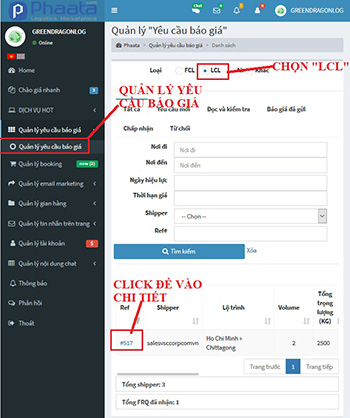
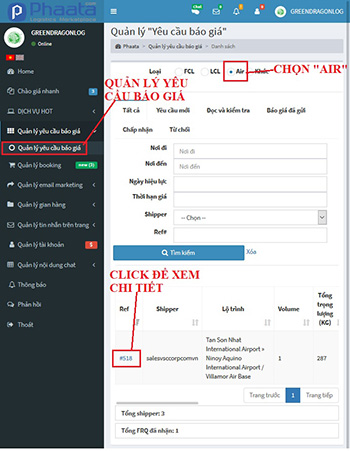
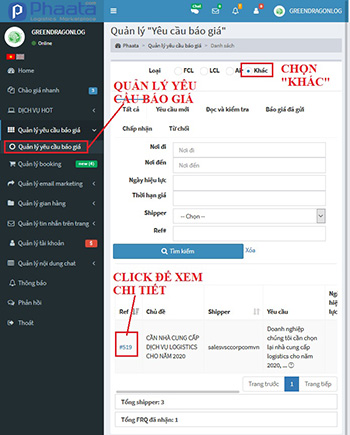
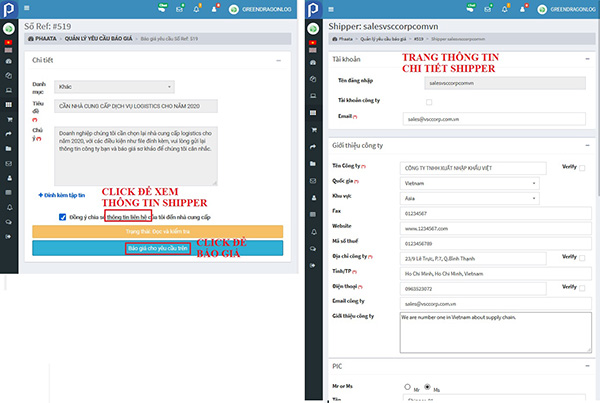
Step 1: On your dashboard, click on “Quotation Request / Type service FCL / Quote now on Action columm” - https://user.phaata.com/user/buyingrequests
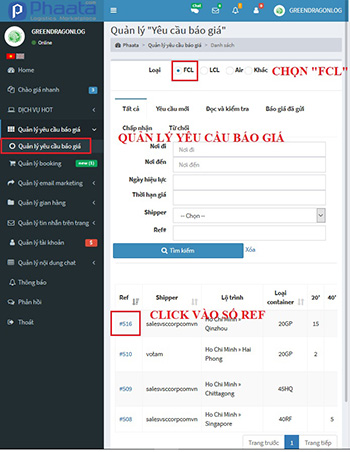
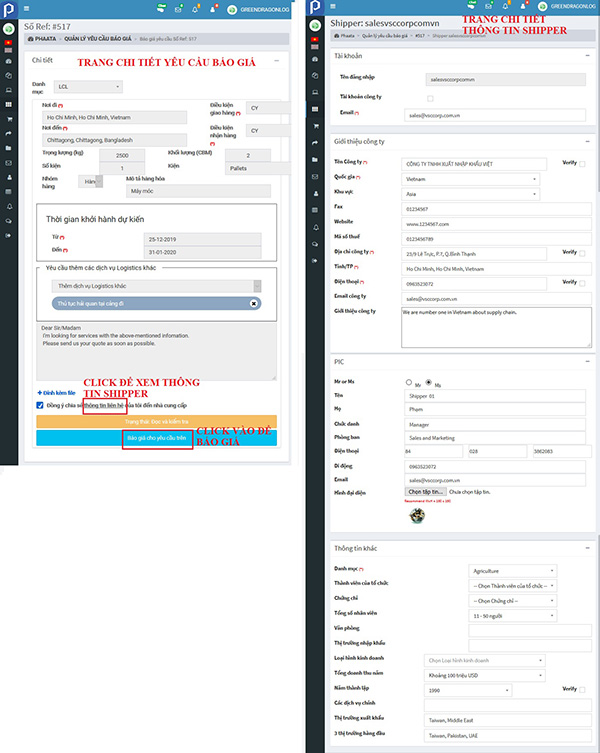
Step 2: On detail page of Request for quotation, you could:
- Shipper's profile / name card business
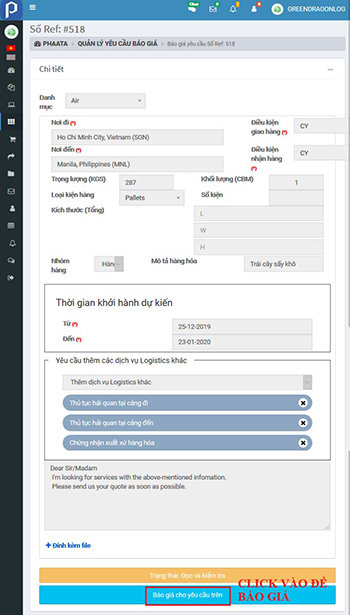
- Quotes for Request by click on "Send Quotaion now"
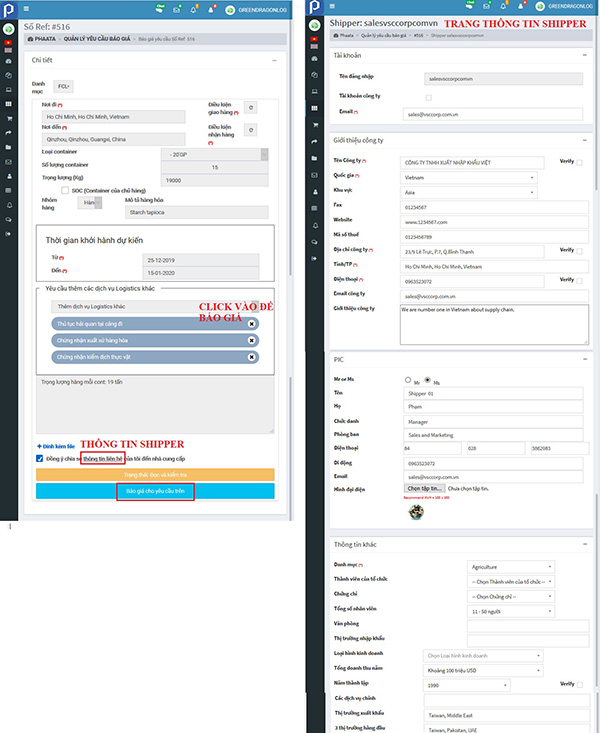
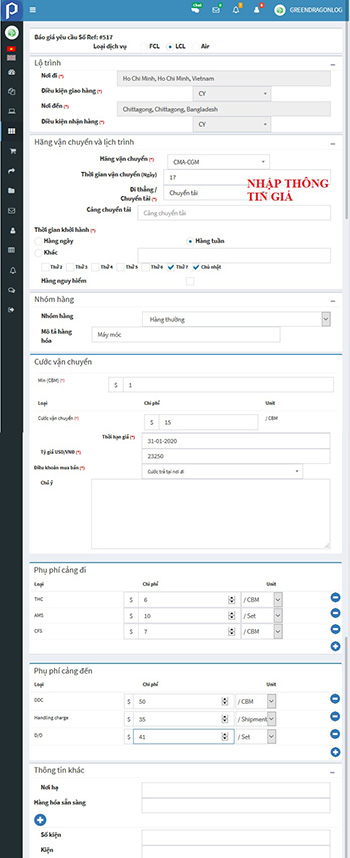
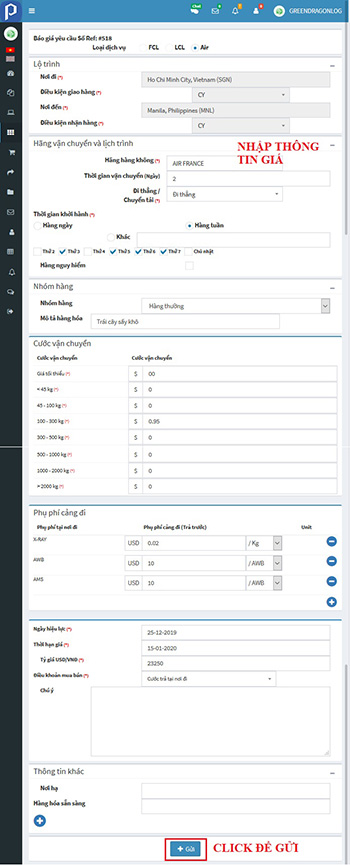
Step 3: Input full information on form, special required fields (*), and "send"
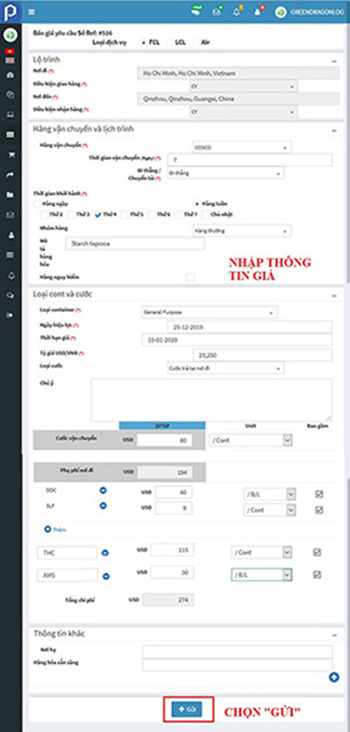
Successful posting notices appear on the screen 
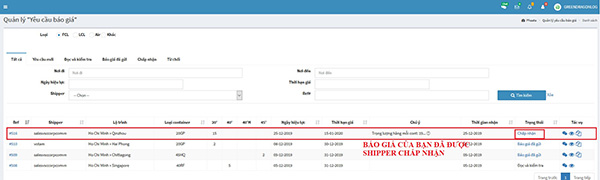
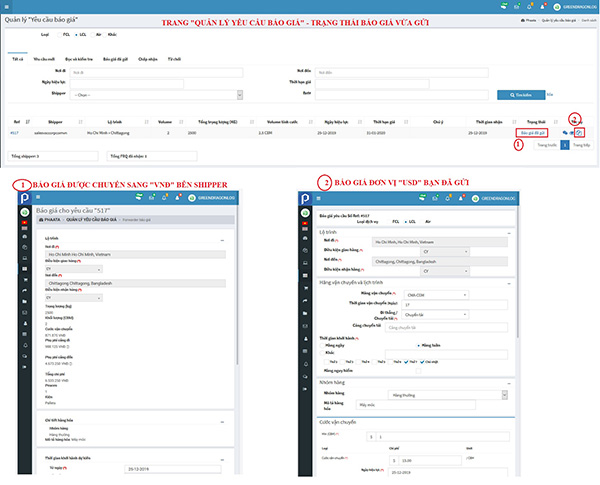
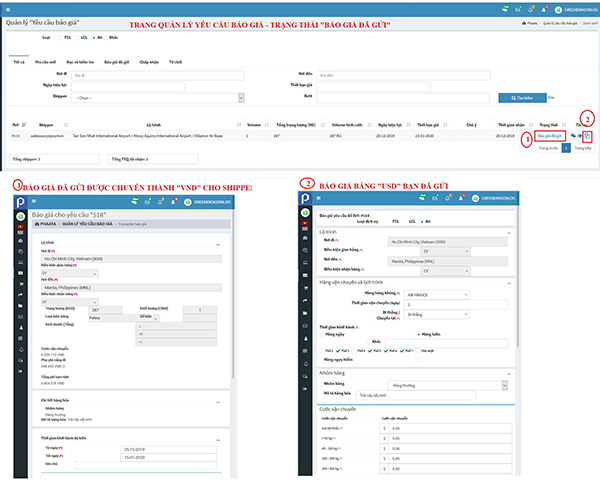
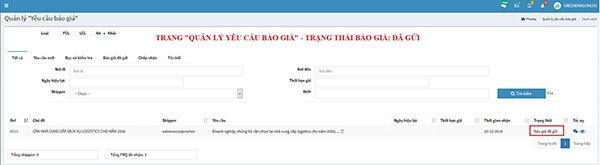
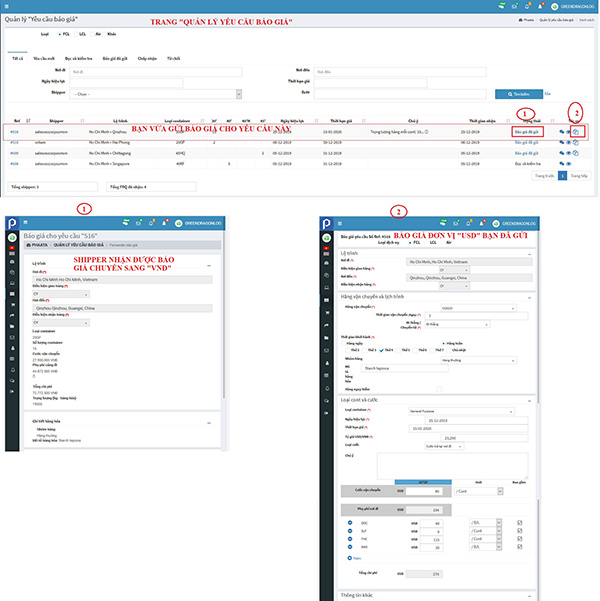
Step 4: Return page "Manage quotation request":
- Status of Request in "Status" columm
- View the submitted quotation by VND in Status columm
- View the submitted quotation by USD in Action columm
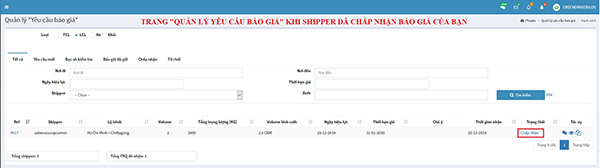
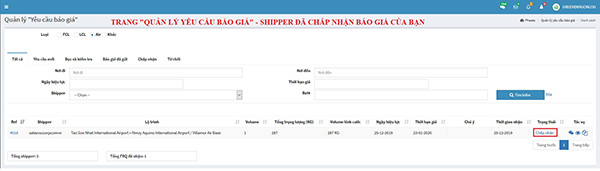
Step 5: Shipper agrees to quote, the status of Request for Quote is changed to "Accepted".