

 SEA
SEA
 AIR
AIR
 RAIL
RAIL
 ROAD
ROAD
 COSCO
COSCO
 SITC
SITC
 PACIFIC LINES
Step 1: On your dashboard, select “Inbox” - https://user.phaata.com/user/estoremessage

Step 2: On inbox page, View or reply new message by click button "Reply"

Step 3: Input content on box and Send
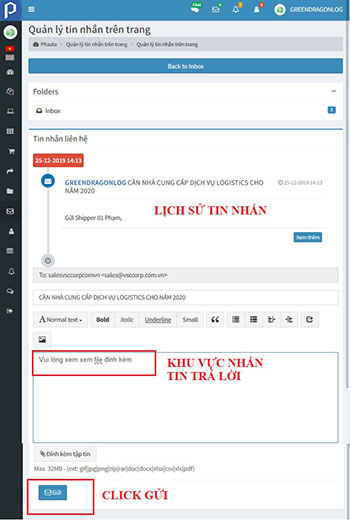
successful posting notices appear on the screen 

Step 1: On your dashboard, select “Inbox” - https://user.phaata.com/user/estoremessage
Step 2: On inbox page, View or reply new message by click button "Reply"
Step 3: Input content on box and Send
successful posting notices appear on the screen


