
 SEA
SEA
 AIR
AIR
 RAIL
RAIL
 ROAD
ROAD
 COSCO
COSCO
 SITC
SITC
 PACIFIC LINES

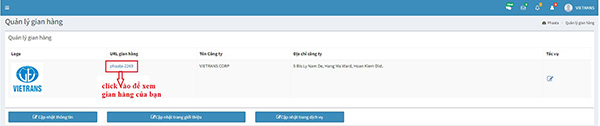
Step 1: On your dashboard, click on “Estore / Update information”- https://user.phaata.com/user/index
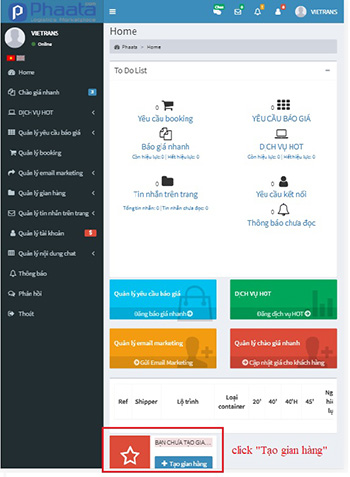
Step 2: Skip the login info tab
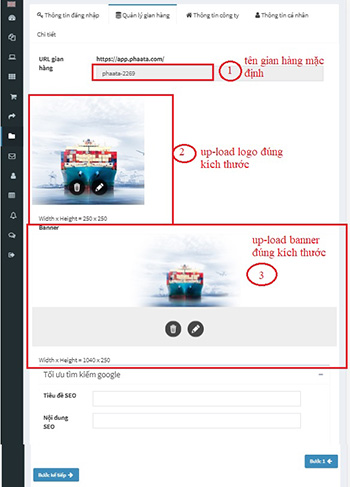
Step 3: On tab “Update estore”, up-load Logo và Banner picture right size and click "Next step"
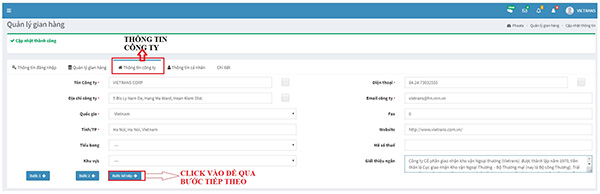
Step 4: On tab “Info's Company”, input information company, special required fields (*) and click "Next step"
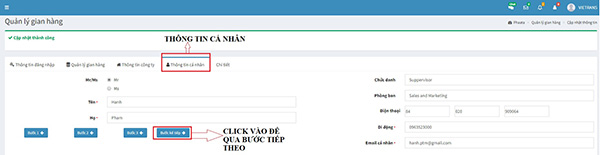
Step 5: On tab “Info's Person in charge”, input information company, special required fields (*) and click "Next step"
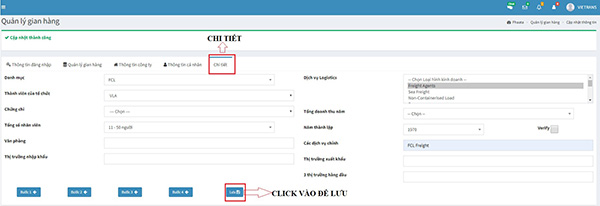
Step 6: On tab “Information detail”, input information company, special required fields (*) and click "Save"
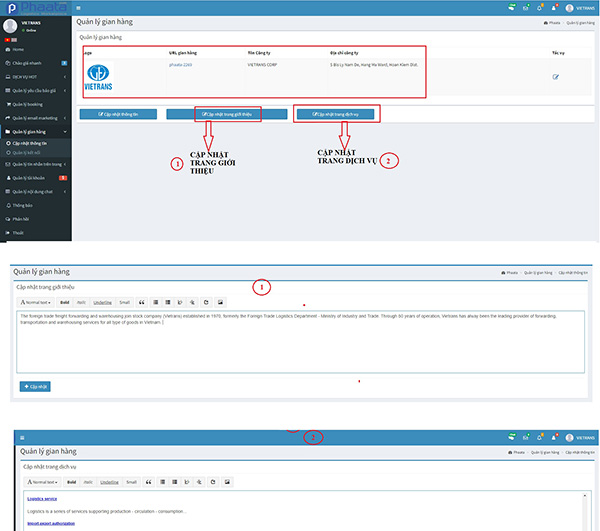
Step 7: Return eStore page: "eStore / Update Information" - https://user.phaata.com/user/estore, click on “Update Introduction” and “Update service” to update your information's company
Step 8: To view your eStore, click on "eStore / Post on Store" - https://user.phaata.com/user/estore